
API — Recommendations
Connecting to the application backend
To connect to the application backend, you must supply a token.
URL: https://api.goodloading.com/api/external/calculation/recommendation
POST
Request
Request Headers
| Name | Value | Required | Description |
|---|---|---|---|
| Authorization | Bearer <token> | Yes | Authorization key |
Request Body
| Name | Value | Required | Description |
|---|---|---|---|
| name | string | No | Project name |
| note | string | No | Project description |
| loads | array of Loads | Yes | Array of cargo items |
| loadingSpaces | array of Loading Spaces | No | Array of loading spaces |
| options | json | Yes | Processing algorithm options |
| options.allowOverweight | boolean | No | Setting the value to true means that cargo items will be placed in the loading space even if their weight exceeds the permissible payload capacity. Default value: false. |
| options.unit | string | No | Units for the specified dimensions. One of two values can be set: – “cm” [Default] – “lb” |
| options.newAlgorithm | boolean | No | Setting the value to true causes the new algorithm to be used. Default value: true. |
| options.loadingOrder | string | No | Values: “default” : based on the order of the cargo items “weight” : based on the weight of the cargo items “volume” : based on the volume of the cargo items “priority” : based on the prioritization of the cargo items |
| options.arrangeOptimally | boolean | No | Enabling the “arrange optimally” function means that the algorithm will look for a cargo arrangement that leaves as much free space as possible, regardless of the order in which the items were added. Default value: false. |
| options.includeSavedLoadingSpaces | boolean | No | Includes the loading spaces saved in the administrator account so that they can take part in the recommendation. Default value: false. |
Examples — vehicles
Example 1 — loading space data taken from the Request — 1 space
Parameter setting in the processing options:
“options.includeSavedLoadingSpaces”: false
Request
{
       "loads": [
        {
            "id": 12,
            "quantity": 222,
            "name": "bananas",
            "length": 90,
            "width": 60,
            "height": 120,
            "weight": 100,
            "stacking": true,
            "allowToRotate": true,
            "color": "#42cfa2"
        },
        {
            "id": 2,
            "quantity": 1,
            "name": "oranges",
            "length": 120,
            "width": 110,
            "height": 155,
            "weight": 15,
            "stacking": 2,
            "allowToRotate": true,
            "color": "#f542dd"
        }
    ],
    "loadingSpaces": [
        {
            "name": "Solo truck 15 EP",
            "parts": [
                {
                    "length": 620,
                    "width": 245,
                    "height": 240,
                    "limit": 5000,
                    "axis": [
                        {
                            "distanceFromSpaceFront": -100,
                            "emptySpaceLoad": 800,
                            "maxLoad": 10000
                        },
                        {
                            "distanceFromSpaceFront": 580,
                            "emptySpaceLoad": 800,
                            "maxLoad": 10000
                        }
                    ]
                }
            ],
            "type": "vehicle"
        }
    ],
    "options": {
        "allowOverweight": true,
        "unit": "cm",
        "newAlgorithm": true,
        "multiStops": false,
        "loadingOrder": "weight",
        "includeSavedLoadingSpaces": false,
        "arrangeOptimally": true
    }
}
Recommendation visualization
The algorithm distributed the cargo across 5 loading spaces: Solo truck 15 EP
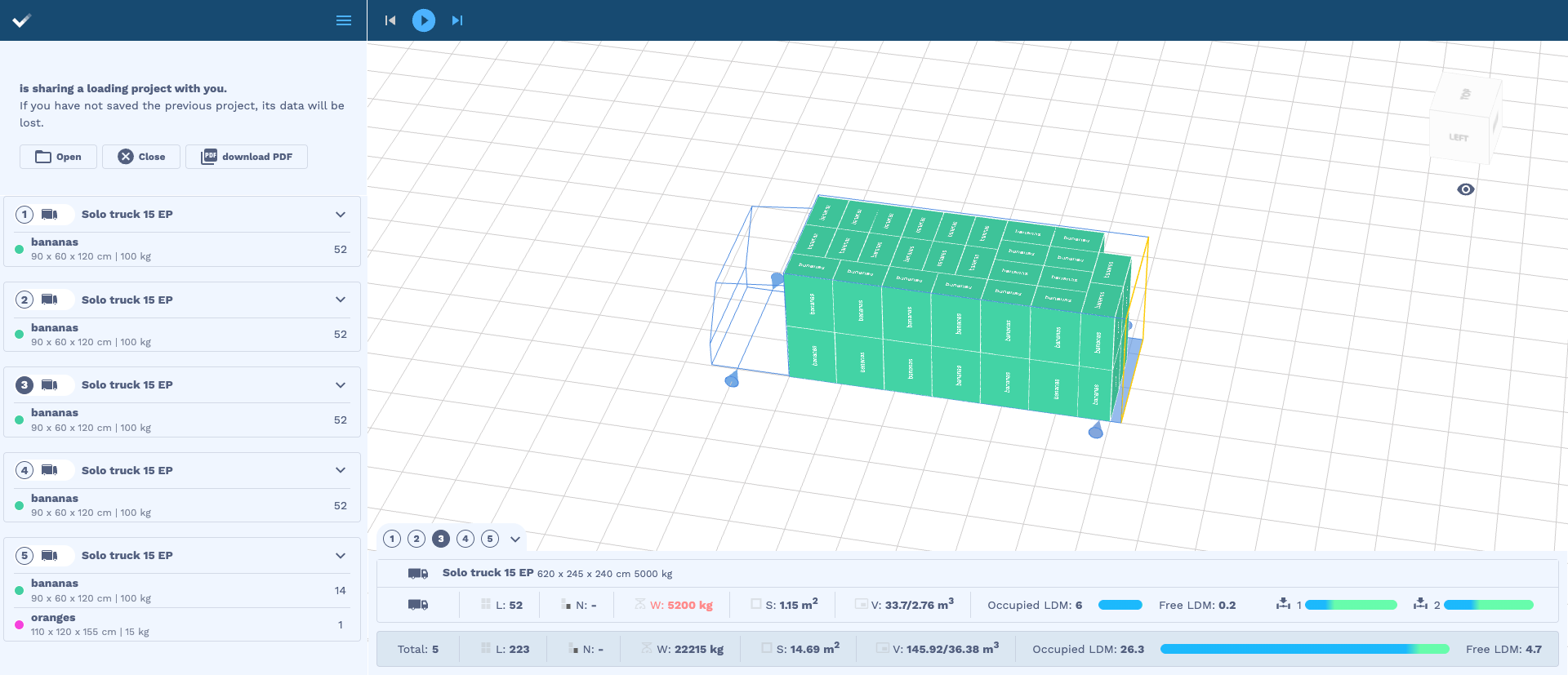
Fig. shows the cargo arrangement in spaces no. 1-4
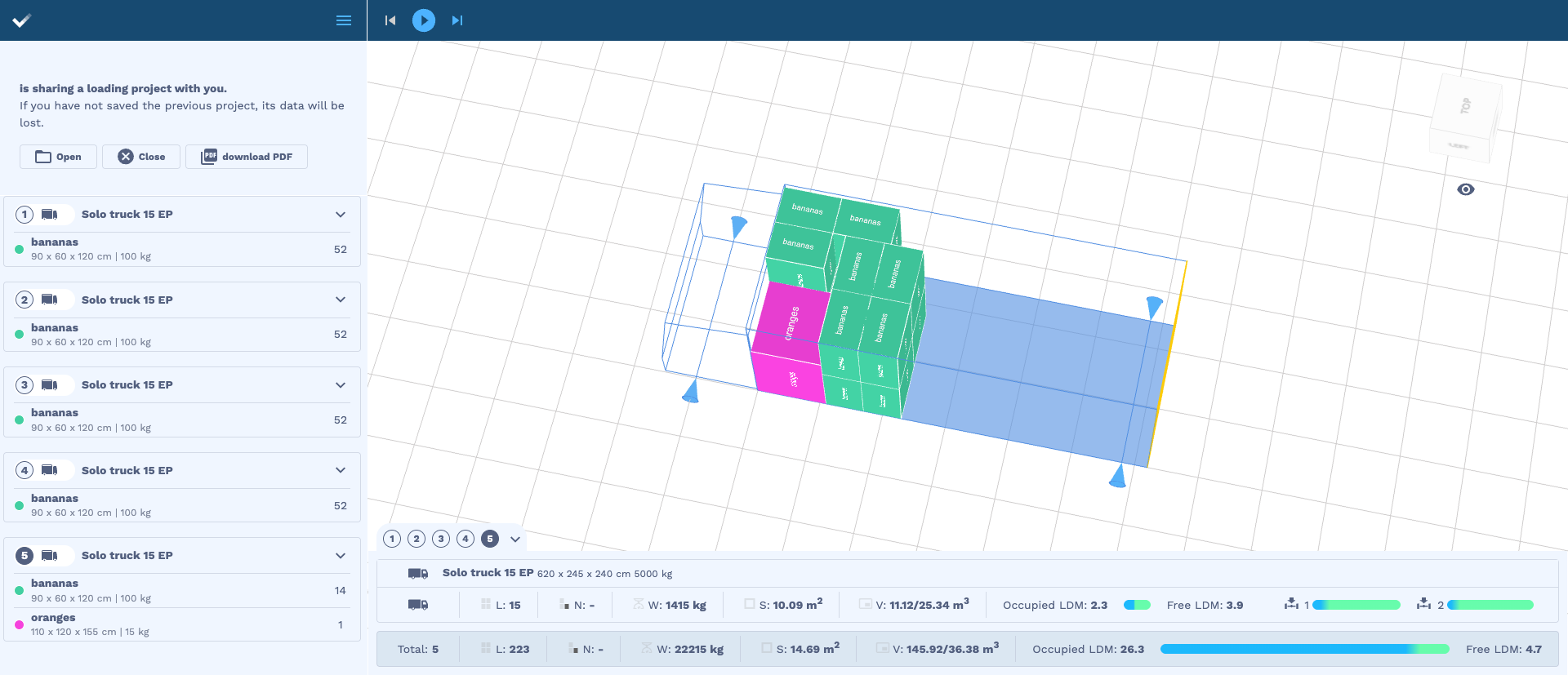
Fig. shows the cargo arrangement in space no. 5
Example 2 — loading space data taken from the Request — multiple spaces
Parameter setting in the processing options:
“options.includeSavedLoadingSpaces”: false
Request
{
 "loads": [
        {
           "quantity": 20,
           "name": "load 1",
           "length": 50,
           "width": 100,
           "height": 50,
           "weight": 50
        },
        {
           "quantity": 60,
           "name": "load 2",
           "length": 100,
           "width": 50,
           "height": 100,
           "weight": 150
        },
         {
           "quantity": 28,
           "name": "load 3",
           "length": 120,
           "width": 80,
           "height": 100,
           "weight": 100
        }
],
        "loadingSpaces": [
        {
            "name": "Bus 8 EP",
            "parts": [
                {
                    "length": 420,
                    "width": 220,
                    "height": 220,
                    "limit": 1500
                }
            ]
        },
        {
            "name": "Solo Truck 10 EP",
            "parts": [
                {
                    "length": 400.8,
                    "width": 241.2,
                    "height": 280,
                    "limit": 1050
                }
            ]
        },
        {
            "name": "Solo Truck 20 EP",
            "parts": [
                {
                    "length": 820,
                    "width": 245,
                    "height": 240,
                    "limit": 8000
                }
            ]
        }
    ],
     "options": {
                   "includeSavedLoadingSpaces": false
                }
}
Recommendation visualization
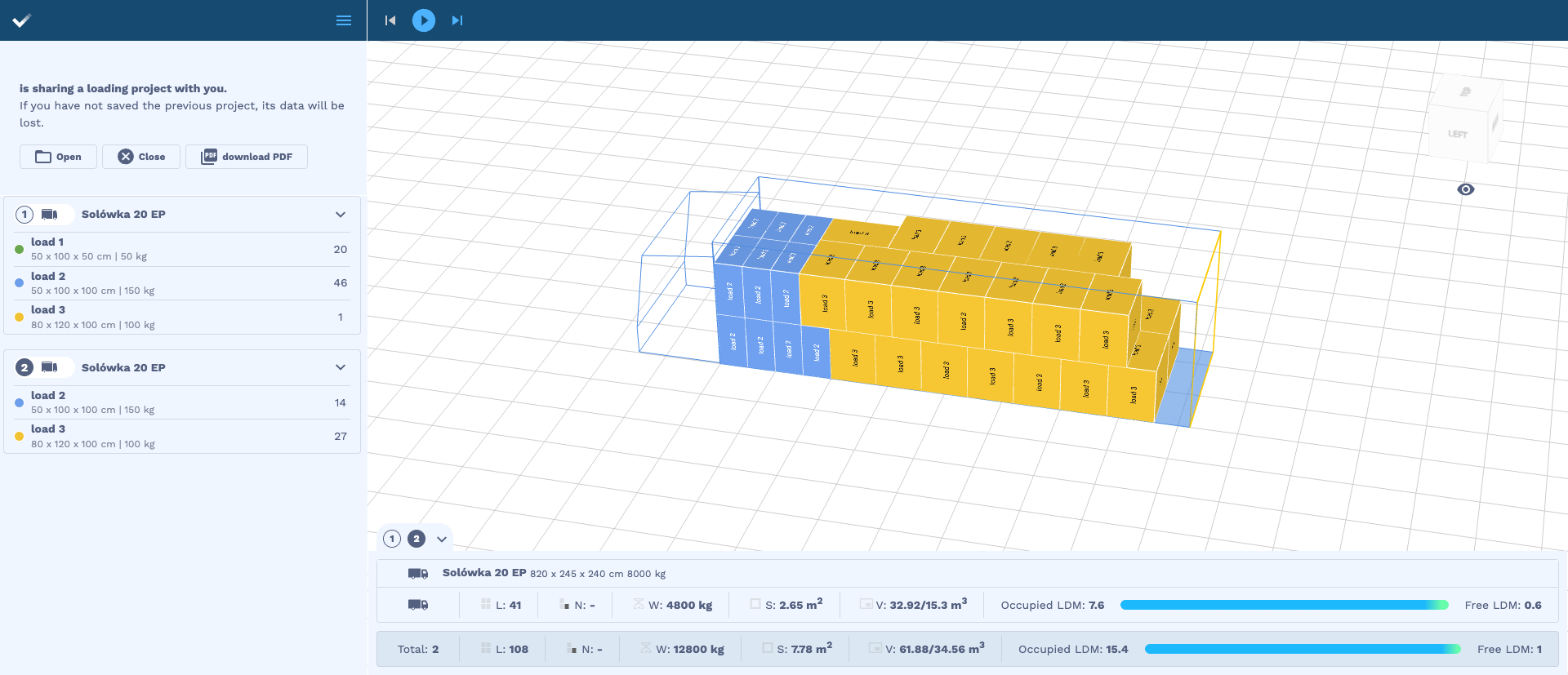
The algorithm distributed the cargo across 2 loading spaces: Solo Truck 20 EP
Fig. shows the cargo arrangement in space no. 1
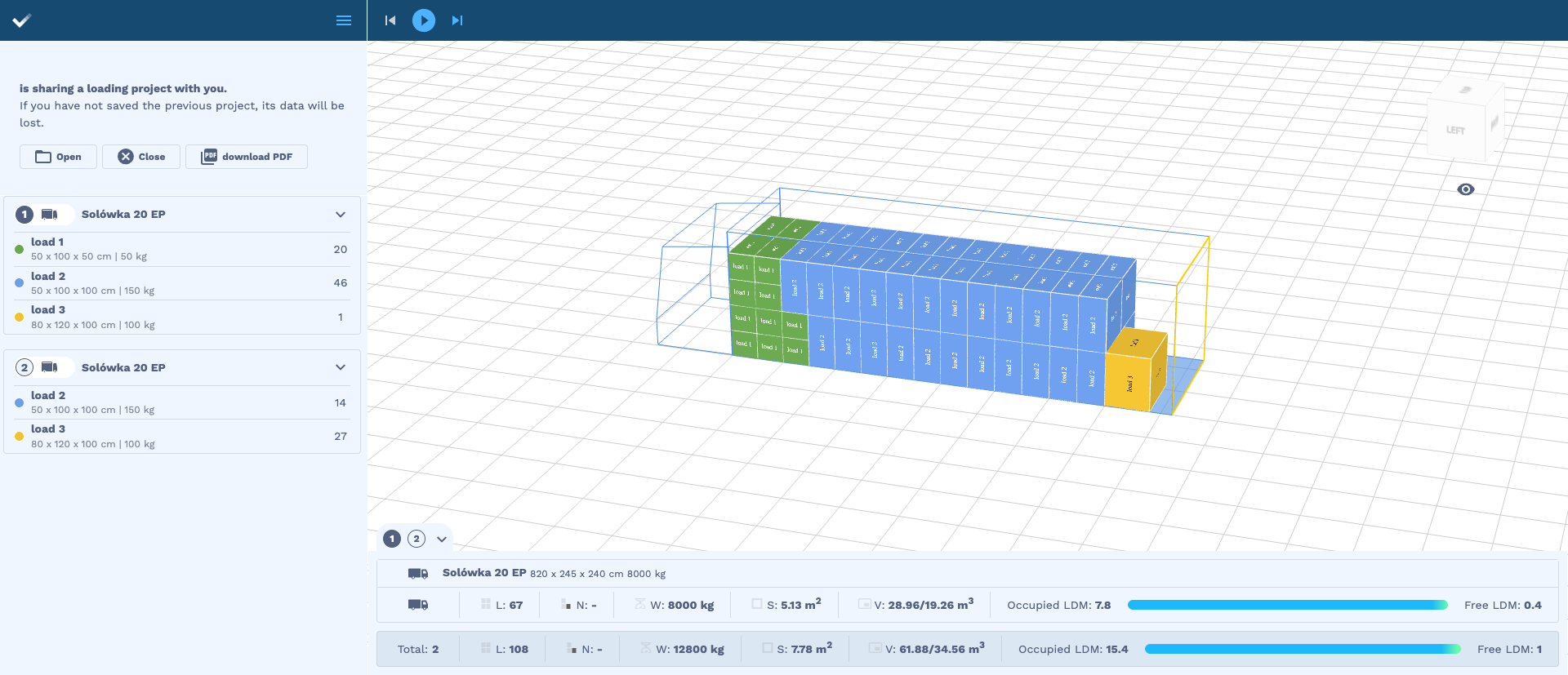
Fig. shows the cargo arrangement in space no. 2
Example 3 — loading space data taken from the account in the web application
Parameter setting in the processing options:
“options.includeSavedLoadingSpaces”: true
The algorithm retrieves the following loading spaces from the user account

Request
{
    "name": "project 1",
    "note": "project description",
    "loads": [
        {
            "id": 12,
            "quantity": 222,
            "name": "bananas",
            "length": 90,
            "width": 60,
            "height": 120,
            "weight": 100,
            "stacking": true,
            "allowToRotate": true,
            "color": "#42cfa2"
        },
        {
            "id": 2,
            "quantity": 1,
            "name": "oranges",
            "length": 120,
            "width": 110,
            "height": 155,
            "weight": 15,
            "stacking": 2,
            "allowToRotate": true,
            "color": "#f542dd"
        }
    ],
    "loadingSpaces": [
        {
            "name": "Solo truck 15 EP",
            "parts": [
                {
                    "length": 620,
                    "width": 245,
                    "height": 240,
                    "limit": 5000,
                    "axis": [
                        {
                            "distanceFromSpaceFront": -200,
                            "emptySpaceLoad": 800,
                            "maxLoad": 10000
                        },
                        {
                            "distanceFromSpaceFront": 580,
                            "emptySpaceLoad": 800,
                            "maxLoad": 10000
                        }
                    ]
                }
            ],
            "type": "vehicle"
        }
    ],
    "options": {
        "allowOverweight": true,
        "unit": "cm",
        "newAlgorithm": true,
        "multiStops": false,
        "loadingOrder": "weight",
        "includeSavedLoadingSpaces": true,
        "arrangeOptimally": true
    }
}
Recommendation visualization
The algorithm distributed the cargo across 2 loading spaces: Standard Semitrailer 33 EP
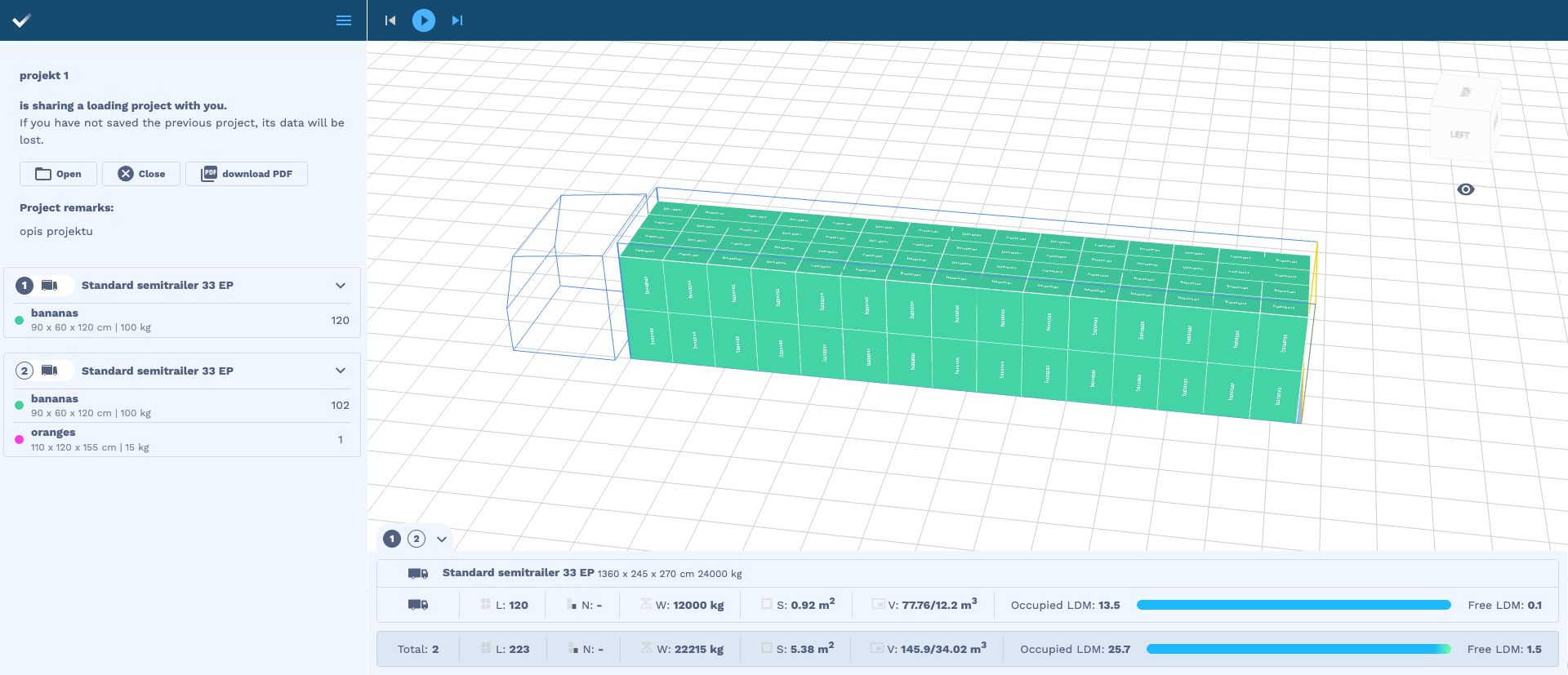
Fig. shows the cargo arrangement in space no. 1
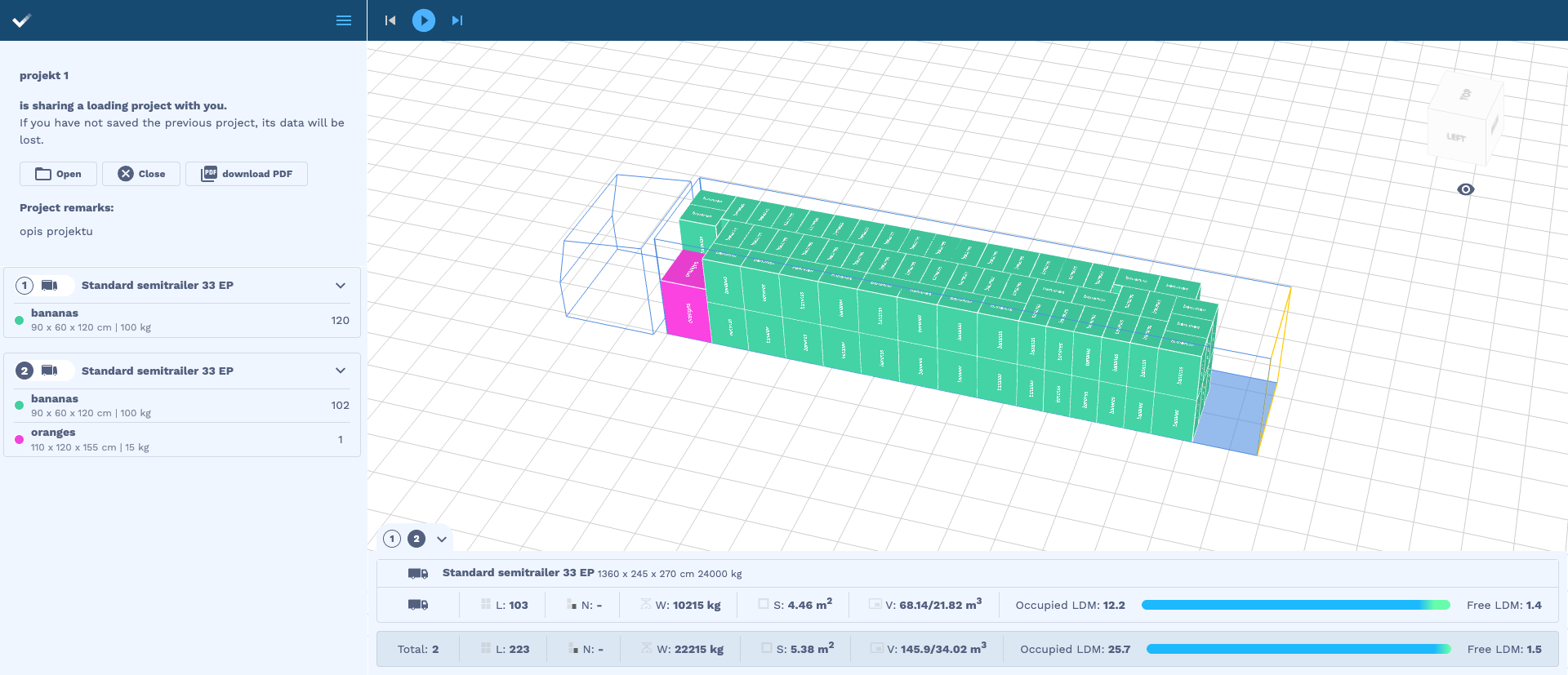
Fig. shows the cargo arrangement in space no. 2
Example 4 — excluding the space Standard Semitrailer 33 EP from the list of loading spaces on the account, with the same Request as in Example 3
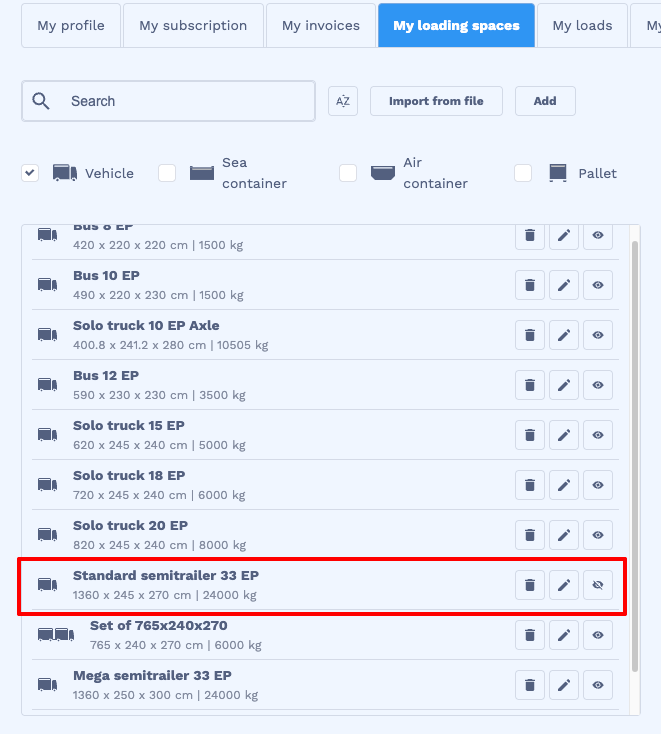
Recommendation visualization
The algorithm distributed the cargo across 2 loading spaces: Mega Semitrailer 33 EP
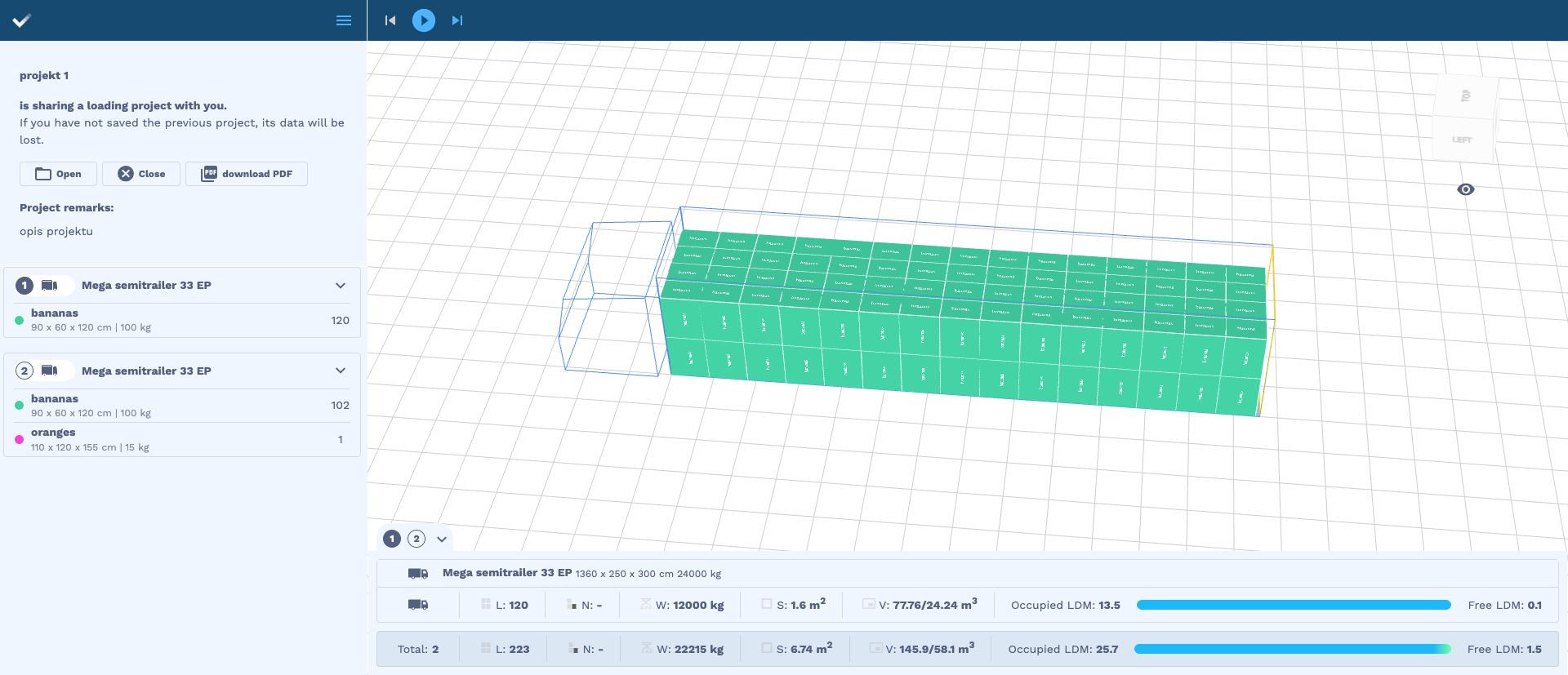
Fig. shows the cargo arrangement in space no. 1
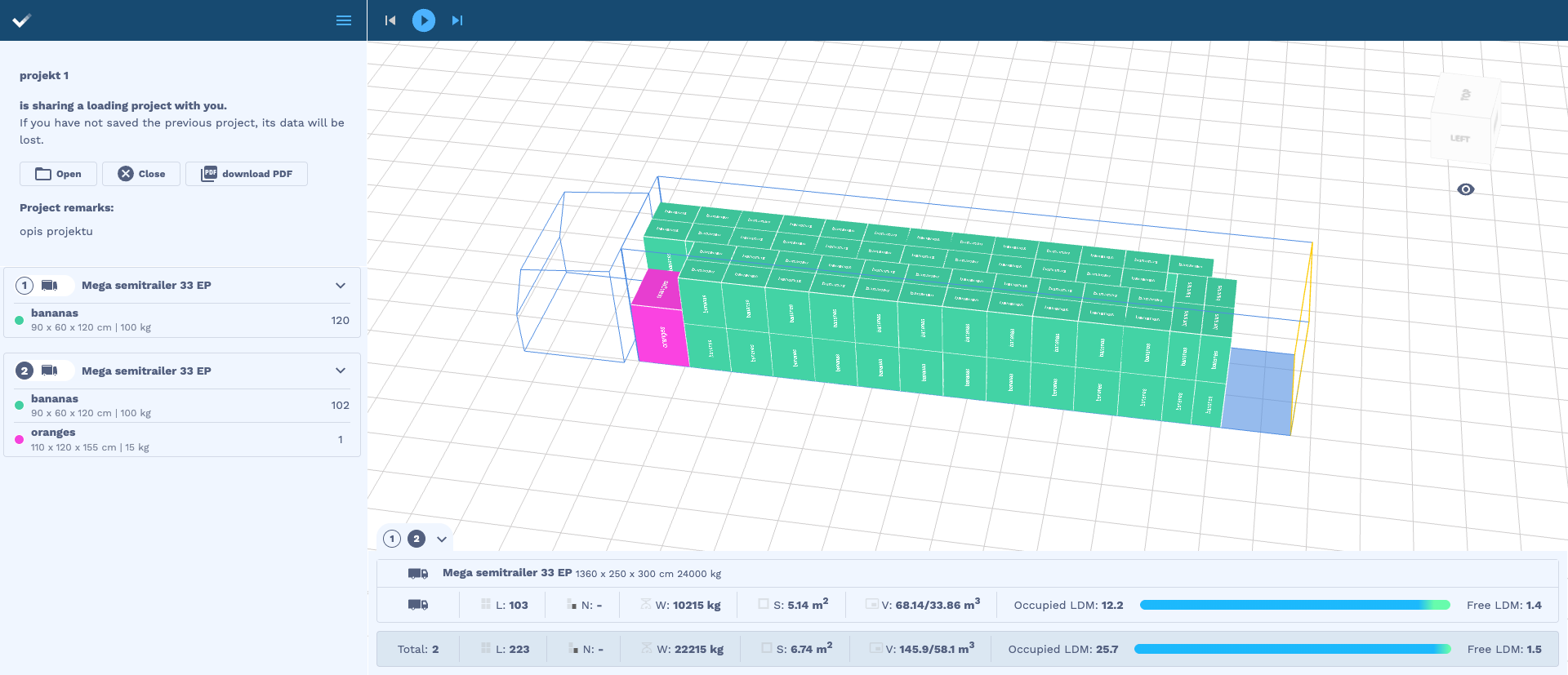
Fig. shows the cargo arrangement in space no. 2
Example 5 — excluding several loading spaces, with the same Request as in Examples 3 and 4
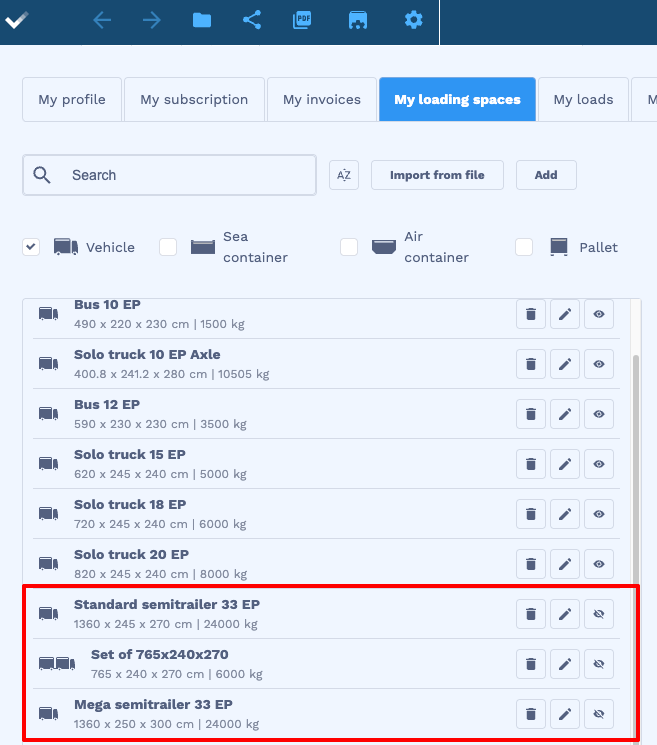
Recommendation visualization
The algorithm distributed the cargo across 3 loading spaces: Solo Truck 20 EP and 1 space: Bus 8 EP
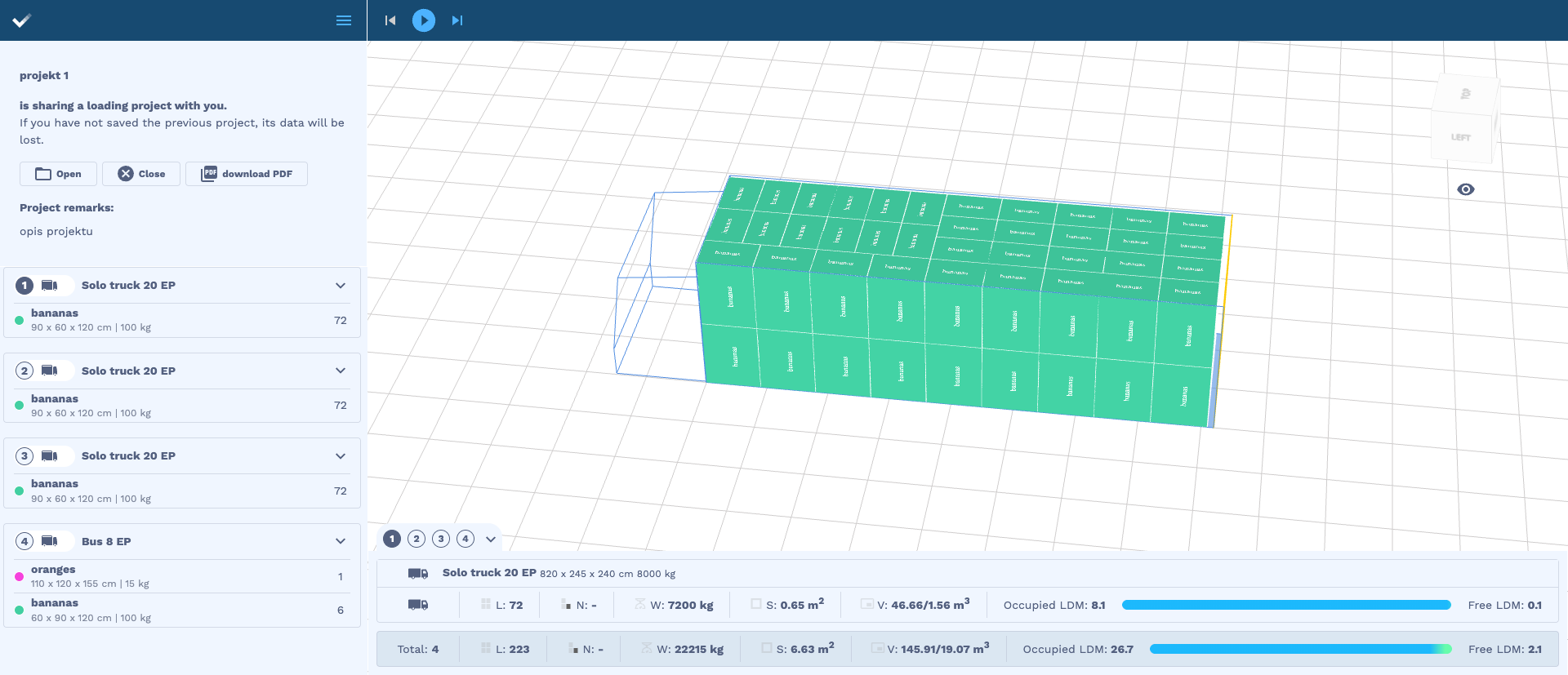
Fig. shows the cargo arrangement in spaces no. 1-3
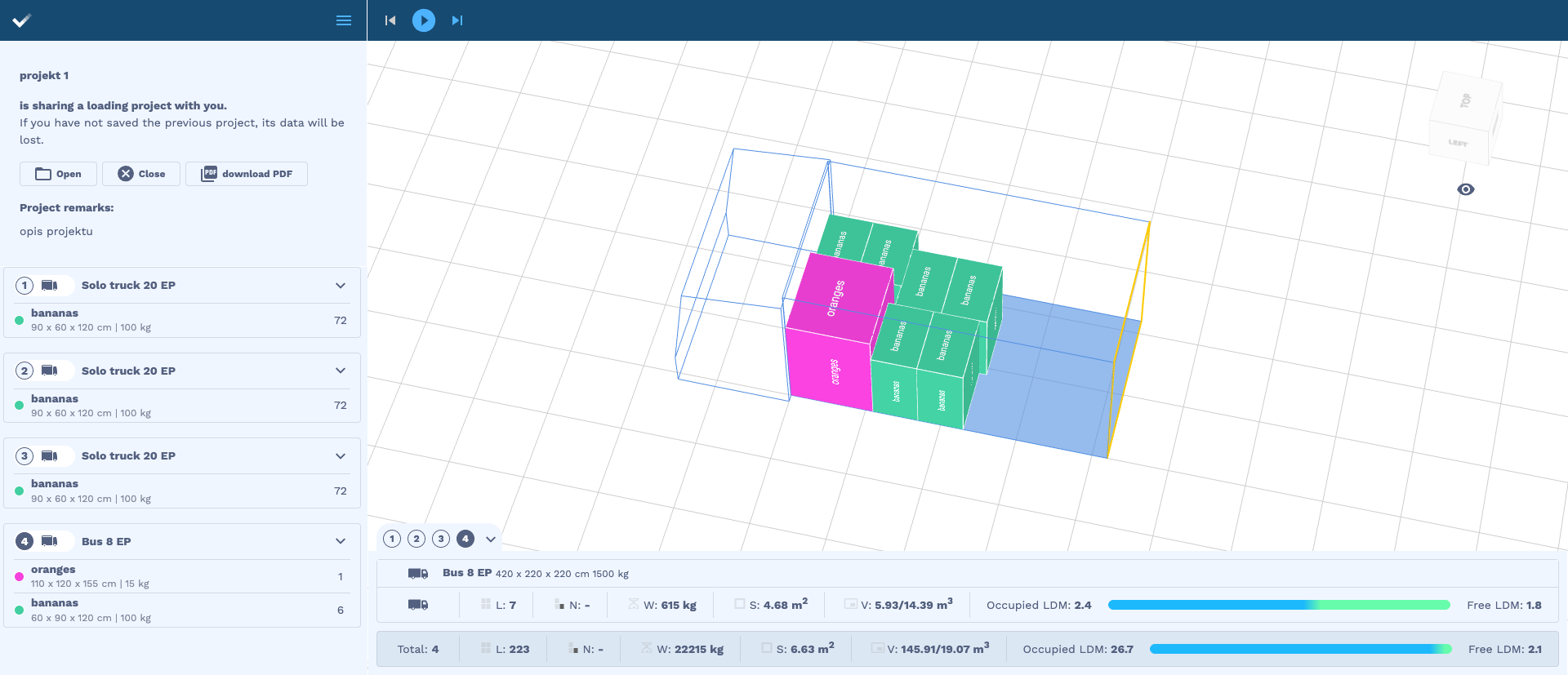
Fig. shows the cargo arrangement in space no. 4
Examples — sea containers
Example 1 — loading space data taken from the Request with 1 loading space.
Parameter setting in the processing options:
“options.includeSavedLoadingSpaces”: false
Request
{
    "name": "project 1",
    "note": "project description",
    "loads": [
        {
            "id": 12,
            "quantity": 222,
            "name": "bananas",
            "length": 90,
            "width": 60,
            "height": 120,
            "weight": 100,
            "stacking": true,
            "allowToRotate": true,
            "color": "#42cfa2"
        },
        {
            "id": 2,
            "quantity": 1,
            "name": "oranges",
            "length": 120,
            "width": 110,
            "height": 155,
            "weight": 15,
            "stacking": 2,
            "allowToRotate": true,
            "color": "#f542dd"
        }
    ],
    "loadingSpaces": [
           {
            "type": "sea",
            "name": "sea",
            "parts": [
                {
                    "length": 400,
                    "width": 200,
                    "height": 200,
                    "limit": 24000
                }
            ]
        }
    ],
    "options": {
        "allowOverweight": true,
        "unit": "cm",
        "newAlgorithm": true,
        "multiStops": false,
        "loadingOrder": "weight",
        "includeSavedLoadingSpaces": false,
        "arrangeOptimally": true
    }
}
Recommendation visualization
The algorithm distributed the cargo across 18 identical sea containers defined in the Request
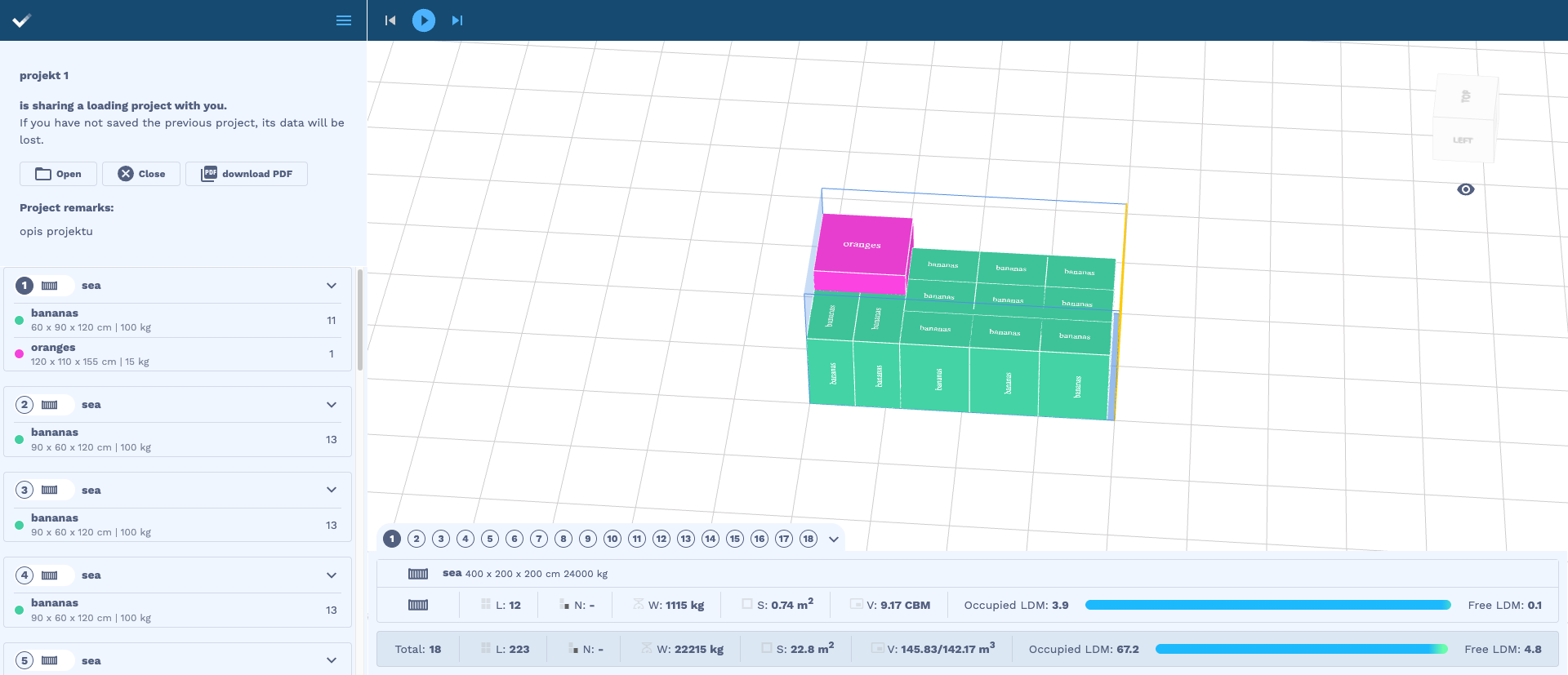
Fig. shows the cargo arrangement in space no. 1
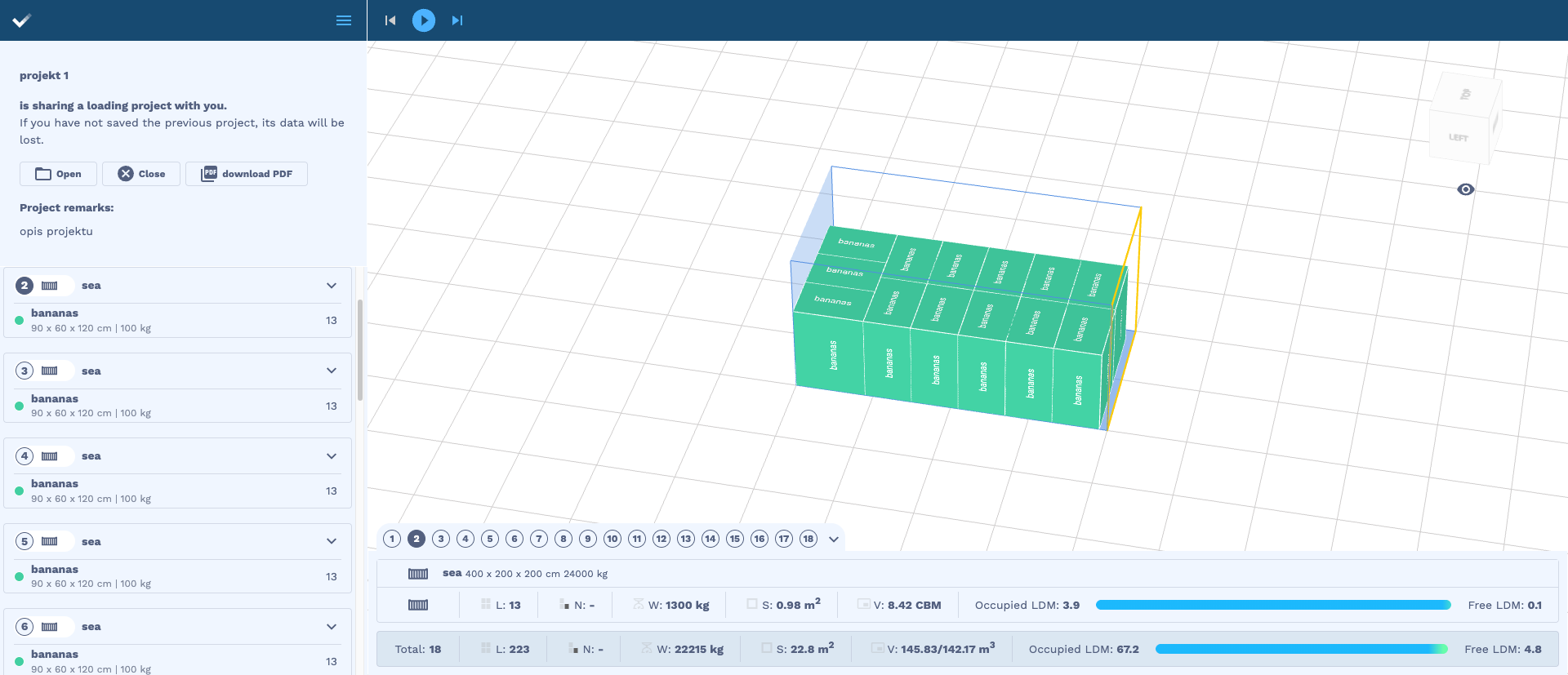
Fig. shows the cargo arrangement in spaces no. 2-17
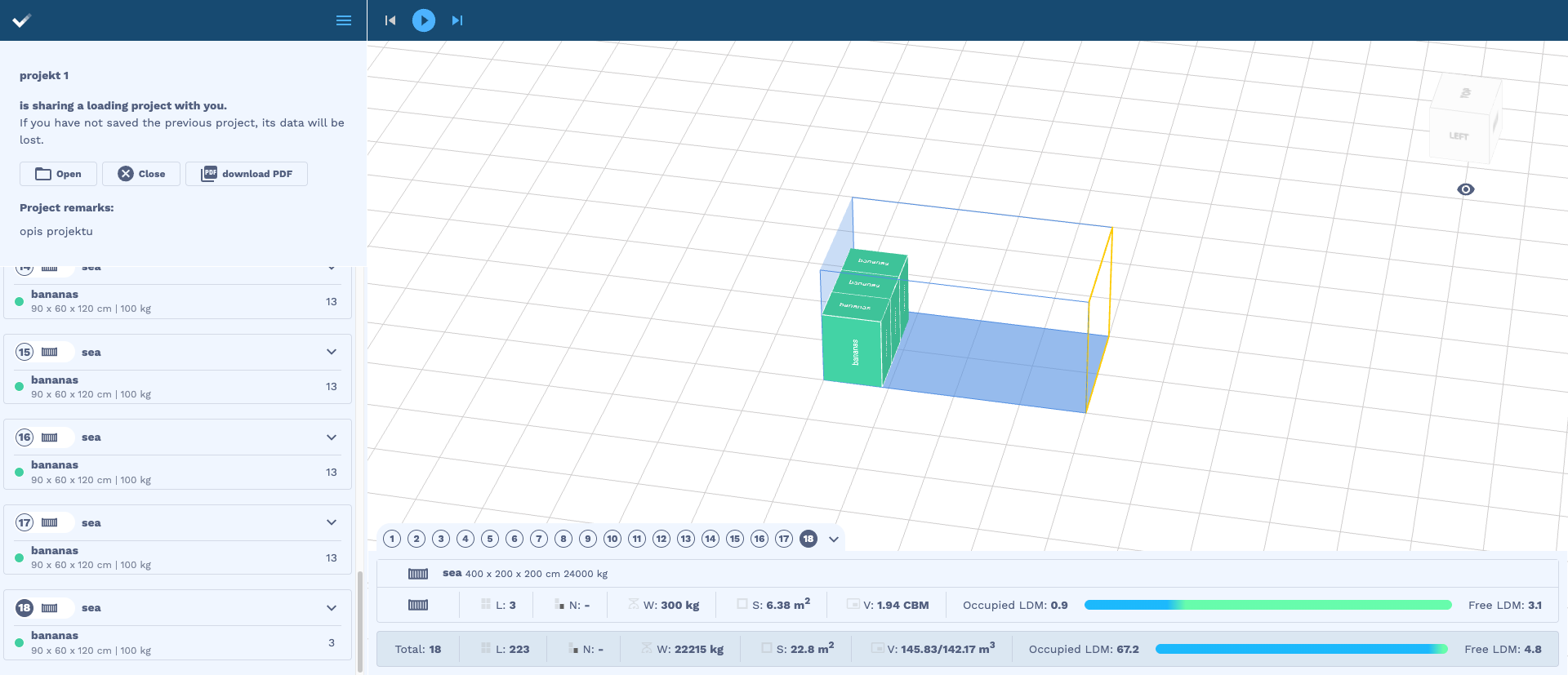
Fig. shows the cargo arrangement in space no. 18
Example 2 — loading space data taken from the account in the web application
Parameter setting in the processing options:
“options.includeSavedLoadingSpaces”: true
The algorithm retrieves the following loading spaces from the user account
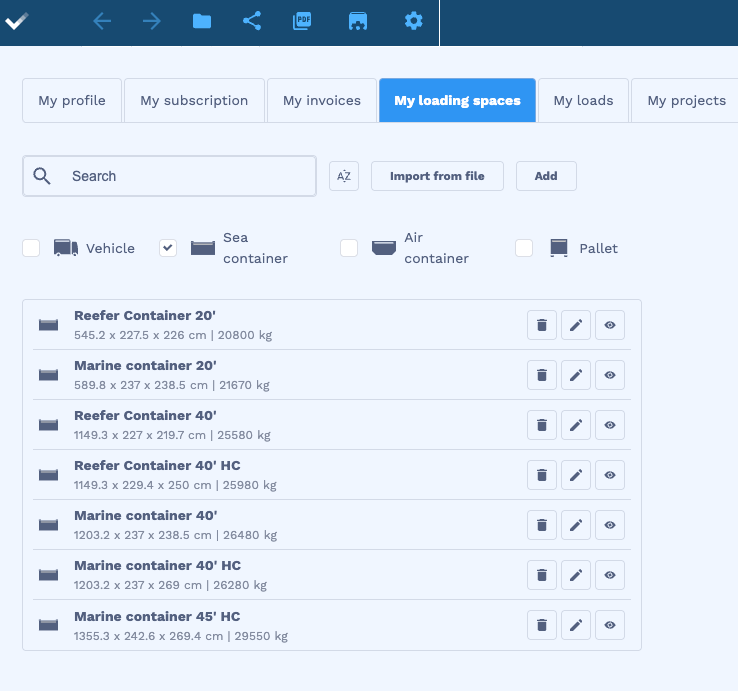
Request
{
    "name": "project 1",
    "note": "project description",
    "loads": [
        {
            "id": 12,
            "quantity": 222,
            "name": "bananas",
            "length": 90,
            "width": 60,
            "height": 120,
            "weight": 100,
            "stacking": true,
            "allowToRotate": true,
            "color": "#42cfa2"
        },
        {
            "id": 2,
            "quantity": 1,
            "name": "oranges",
            "length": 120,
            "width": 110,
            "height": 155,
            "weight": 15,
            "stacking": 2,
            "allowToRotate": true,
            "color": "#f542dd"
        }
    ],
    "loadingSpaces": [
           {
            "type": "sea",
            "name": "sea",
            "parts": [
                {
                    "length": 400,
                    "width": 200,
                    "height": 200,
                    "limit": 24000
                }
            ]
        }
    ],
    "options": {
        "allowOverweight": true,
        "unit": "cm",
        "newAlgorithm": true,
        "multiStops": false,
        "loadingOrder": "weight",
        "includeSavedLoadingSpaces": true,
        "arrangeOptimally": true
    }
}
Recommendation visualization
The algorithm distributed the cargo across 2 loading spaces
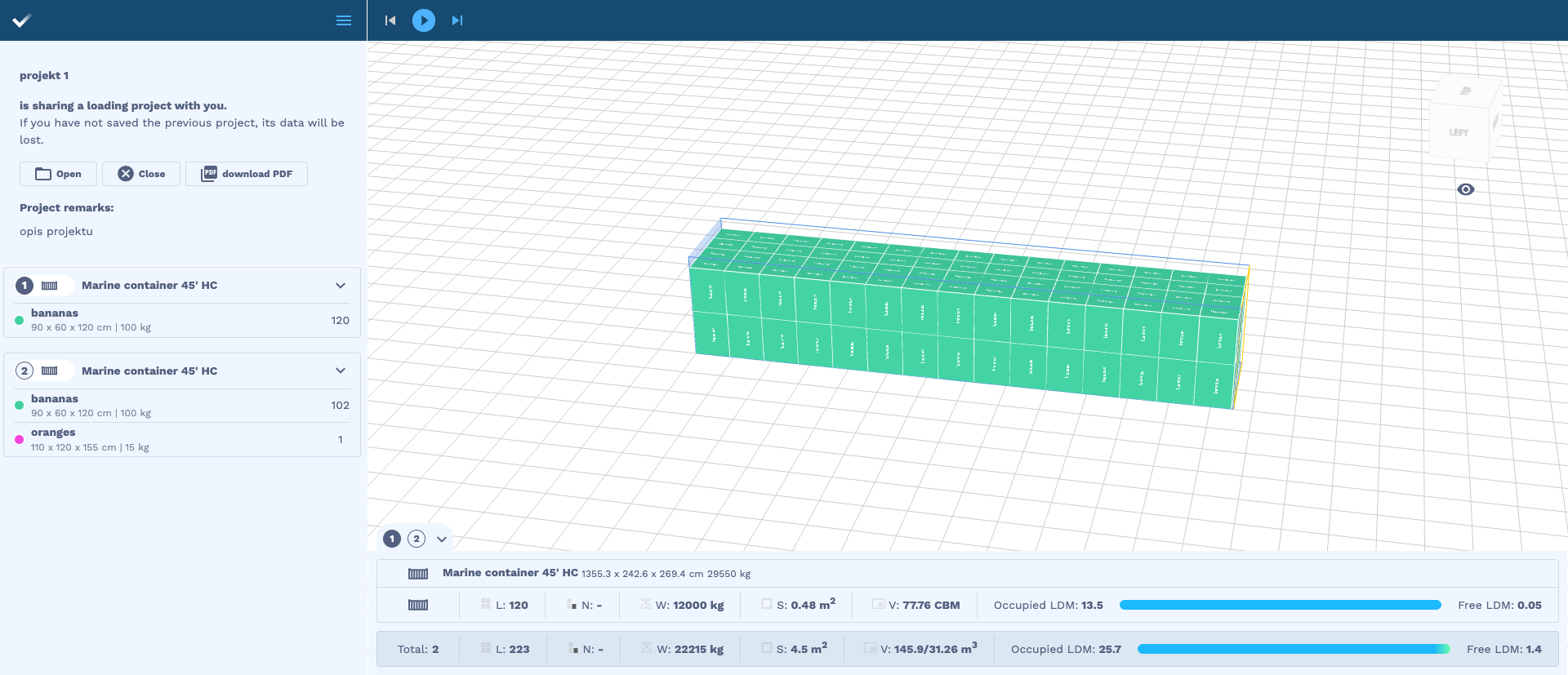
Fig. shows the cargo arrangement in space no. 1
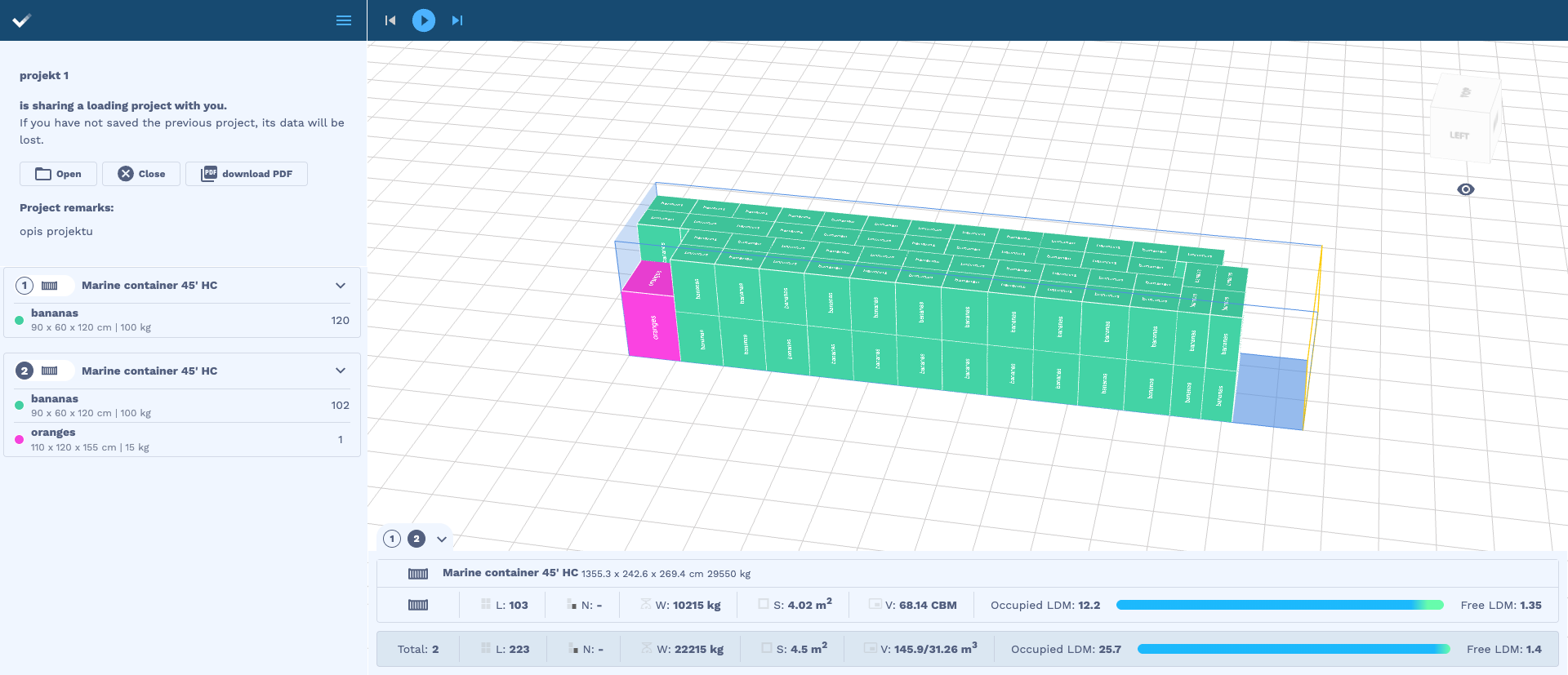
Fig. shows the cargo arrangement in space no. 2