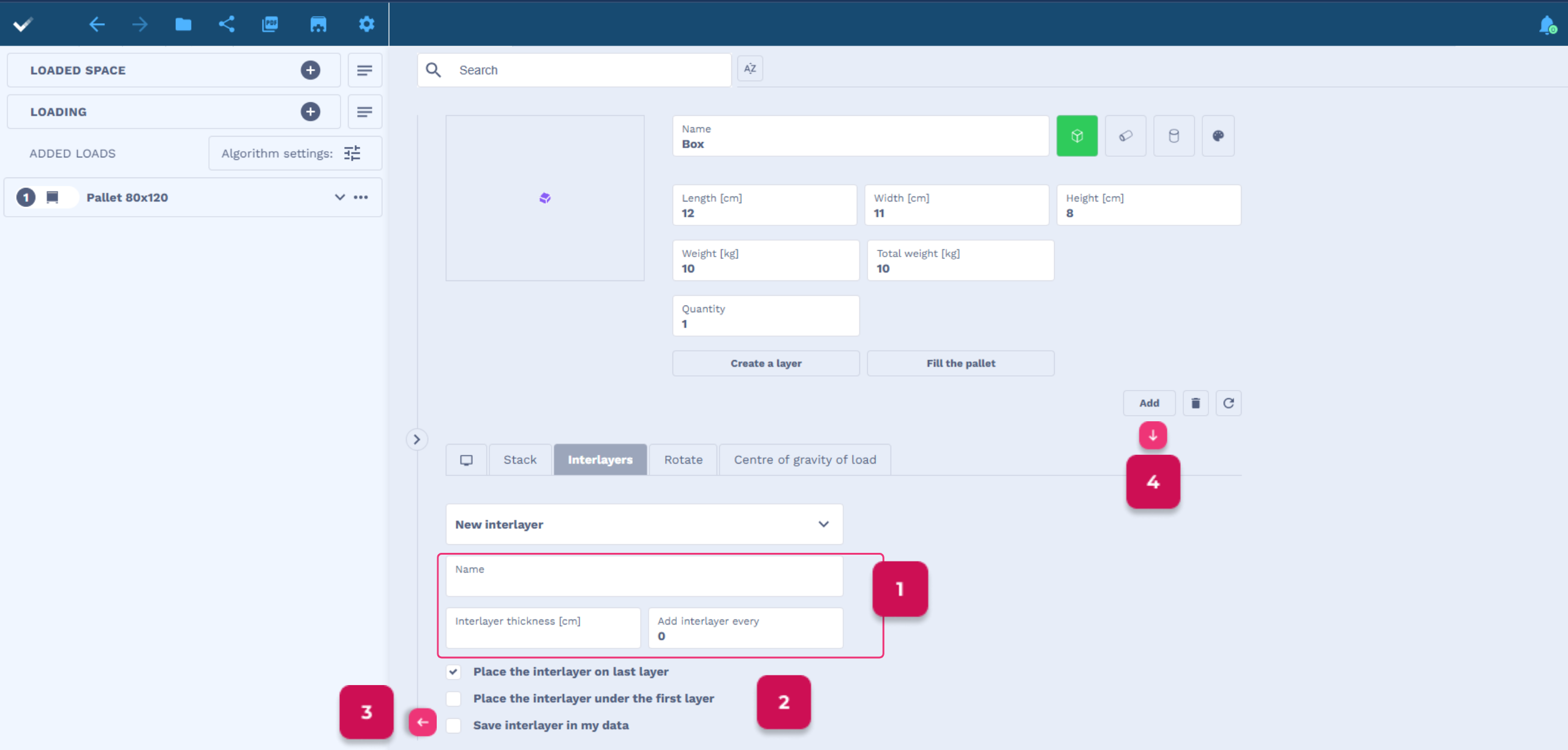
You can add translators when adding Loading (it is important to create layers beforehand) or on the load list, after adding loads with layers.
- Complete the name, thickness and indicate how many layers to add a translator.
- You can check if you want the last interlayer to be placed on the last layer or the first Interlayer under the first layer.
- You can save the interlayer in your data, then it will appear in the list when adding interlayers.
Saved interlayers are visible on the user’s account in the My Loads tab, you can edit and delete them. - When you have finished completing all the data about the load, click Add.