The layer creation function is only available when a pallet is added as a loading space in the project and it is active (the pallet is displayed in the visualization).
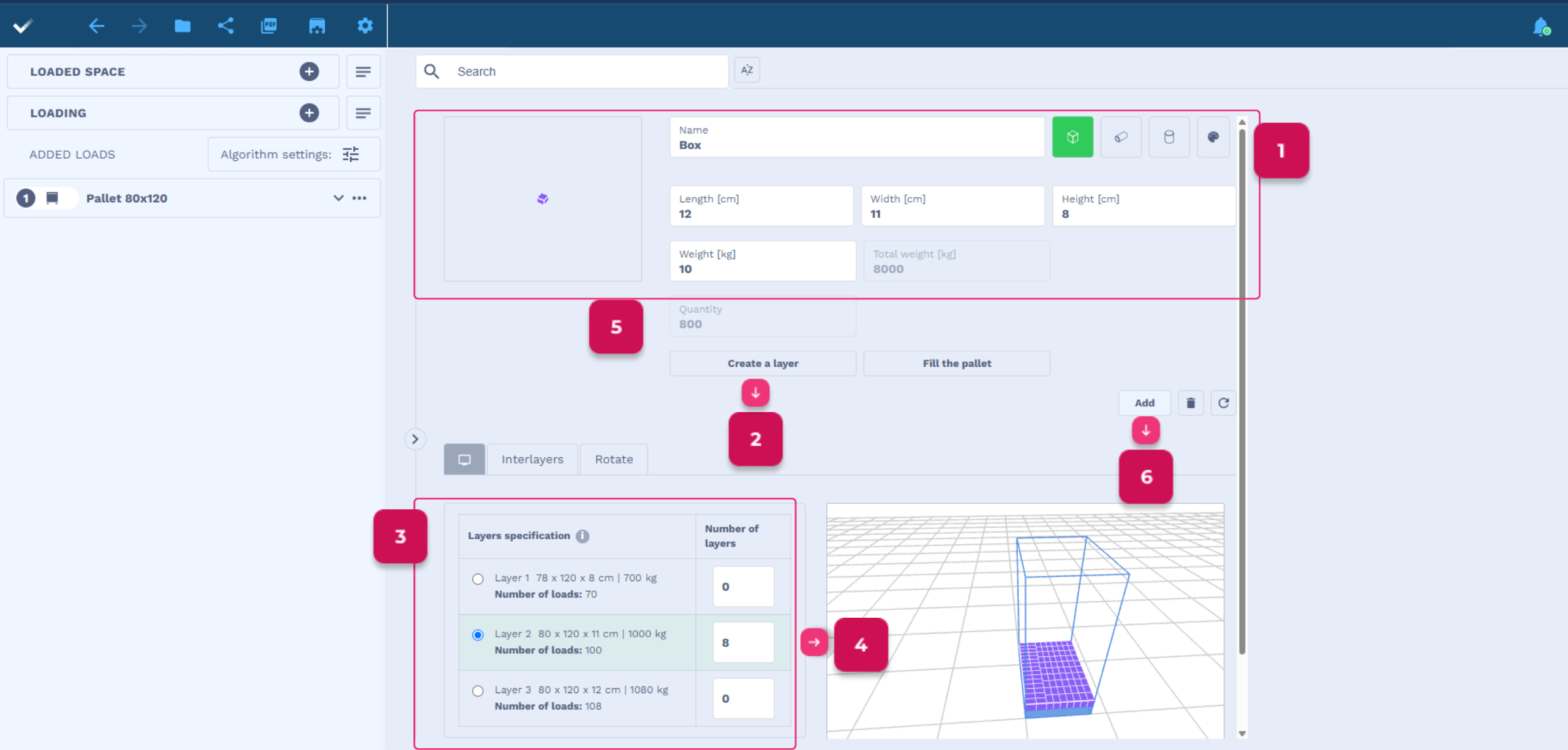
To add a load in layers, go to the Loading tab.
- Complete the load data – name, dimensions and weight.
- Click Create a layer.
- Check the layers proposed by the program and select one of them.
- Enter the number of layers.
- The application will automatically calculate the number of loads based on the selected number of layers.
- If you have finished completing all the load data, click Add.
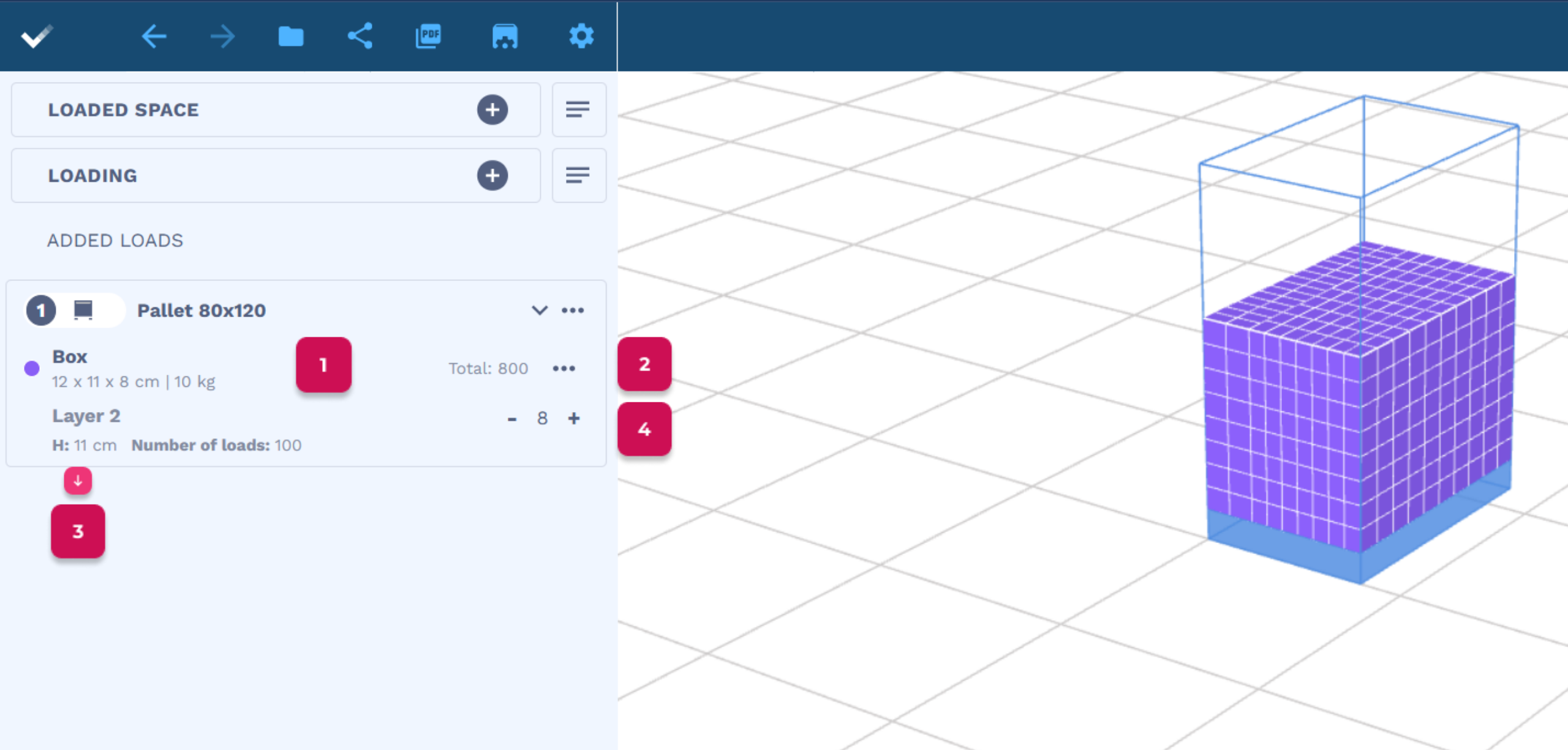
Added loads with layers will be visible on the list with added loads.
- You will see the name of the load, its dimensions and weight, and the total number on the pallet.
- Click on 3 dots to edit layers and add interlayers.
- Below there is information about the selected layer – H (its height) and the number of loads in the layer.
- By clicking on “+” or “-” you can change the number of layers for a given group of loads.