September 09, 2025
New Technologies
API in practice. How Goodloading optimizes logistics processes for manufacturers, courier companies, and forwarding firms

The last two years have been milestones in technological development. Some compare the widespread access to AI solutions to the invention of the wheel. Despite valid concerns about the survival of certain job positions, in many cases, artificial intelligence will actually create more work for us. However, what has resulted from this revolution is the growing awareness of the need to automate processes.
Every week, we arrange meetings with more companies looking for cost savings in this area. In the text below, we present several business cases.
1. Courier company with Goodloading recommendations
Our German client, with a fleet of hundreds of vehicles up to 3.5 and 12 tons, completes thousands of transport orders. Their main concern was the unnecessary use of some vehicles. Calculating with Excel eventually turned out to be either too costly or simply impossible. We suggested using our recommendation algorithm, which indicates how many vehicles are needed to carry out a group of orders.
Example of use:
- Grouping shipments along the route in the client’s internal system
- Sending an inquiry to Goodloading regarding recommendations
- Goodloading sends information about the number and type of required vehicles
- In the case of added loads, employees make changes to the projects and update the data in the client’s internal system

2. Window manufacturing company
Our Danish client ships windows every day that require secure transport. The windows are carried on interconnected pallets, often in an L-shape. Their challenge was to combine shipments so that a single truck could serve multiple customers and the entire shipment could reach its destination intact.
For this purpose, each order for multiple clients had to be divided by an invisible barrier, which forces subsequent pallets to be placed at the end of the previous order, even if there is enough space to place the next pallet between those already loaded.
Example of use:
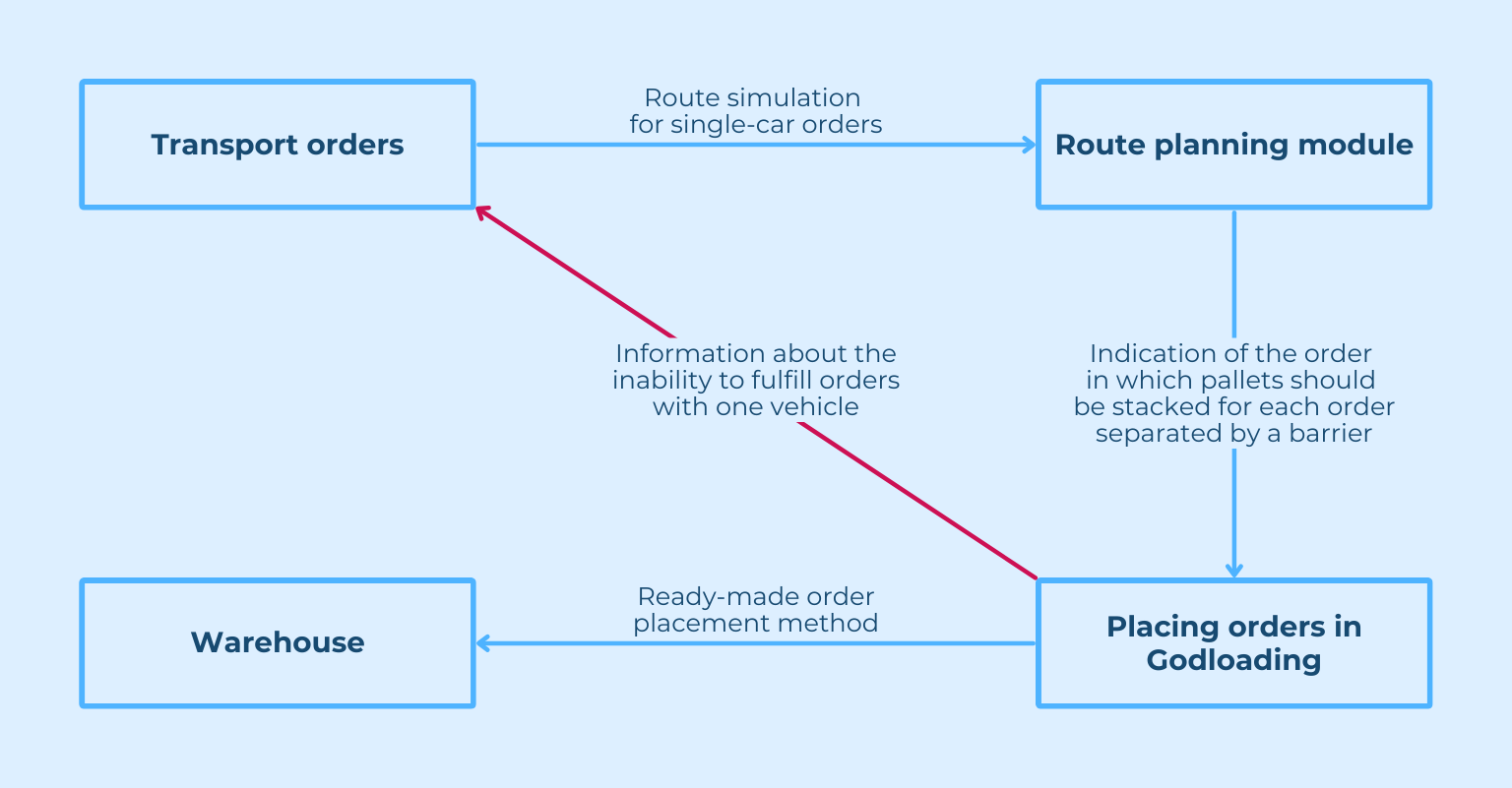
- The customer processes all orders in their TMS with the route planner
- Sending information about individual orders on various interconnected pallets, along with dividing the orders with a barrier
- Receiving a ready loading plan for all orders in one vehicle, or information about the inability to execute all orders in a single transport.
3. Forwarding company with internal TMS
In the case of LTL shipments and multiple orders, the company utilized an average of 50% of the loading space, despite having a full team analyzing the data. We proposed making their work easier by providing instant information about available and used loading space.
Example of use:
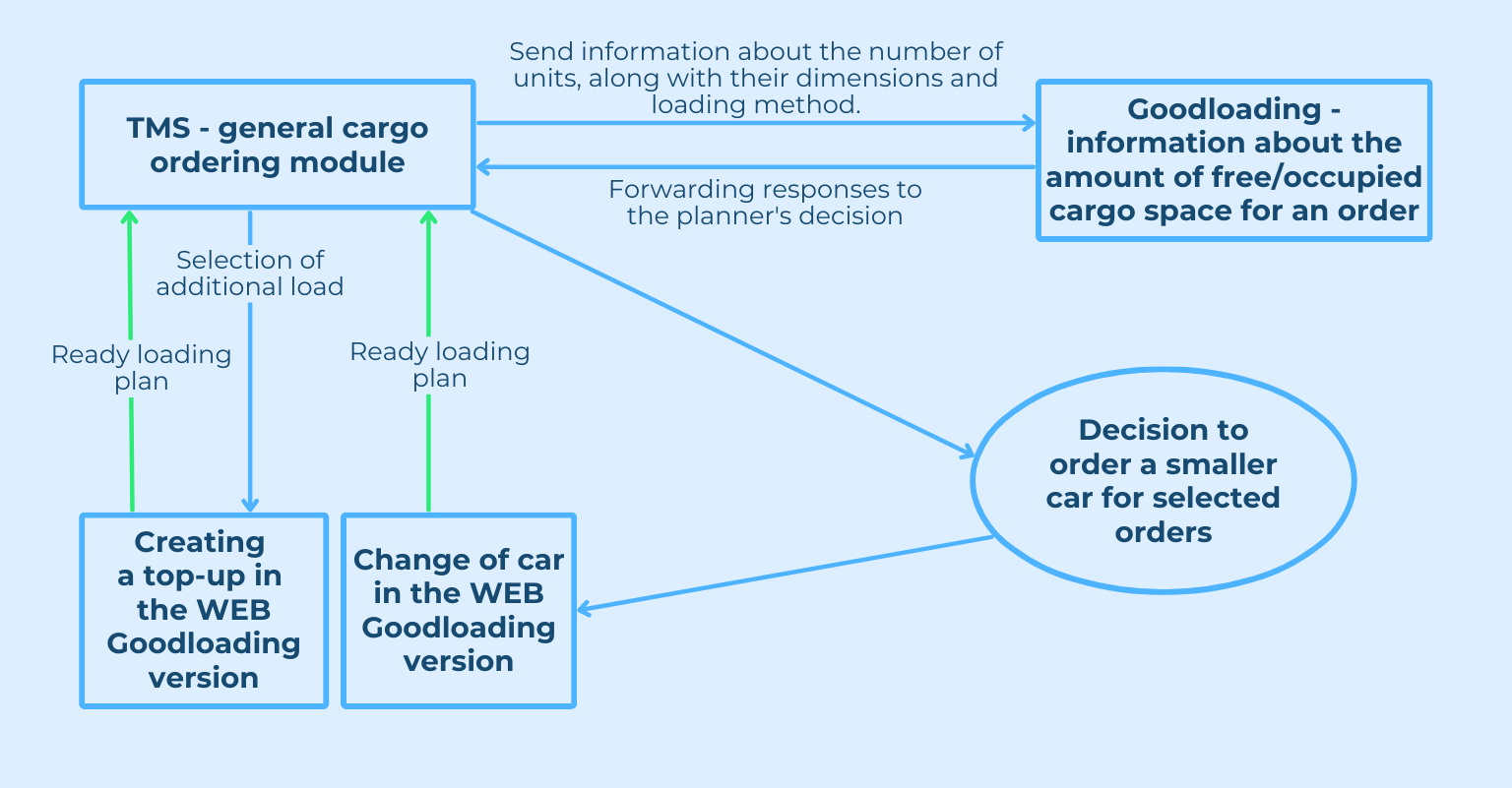
- The company is accepting a new LTL order. Shipment information (dimensions, weight) is entered into the TMS system.
- The TMS system automatically sends data to Goodloading via API. Goodloading calculates how to optimally arrange the load on the available area, taking into account the dimensions of other shipments.
- Goodloading returns a visualization of the loading plan for specific vehicles to the TMS system.
- The planner makes a decision to order a smaller vehicle or create an added load
4. Company from the automotive industry
A Polish automotive parts manufacturer faced the challenge of organizing the loading in relation to unloading points in such a way as to assess whether an order could be fulfilled on a given day. At the same time, in the event of changes occurring during the day, there is a need to update the generated plan. Goodloading enables the addition of loading points as multi-stops, providing information on the utilization level of available space.
Example of use:
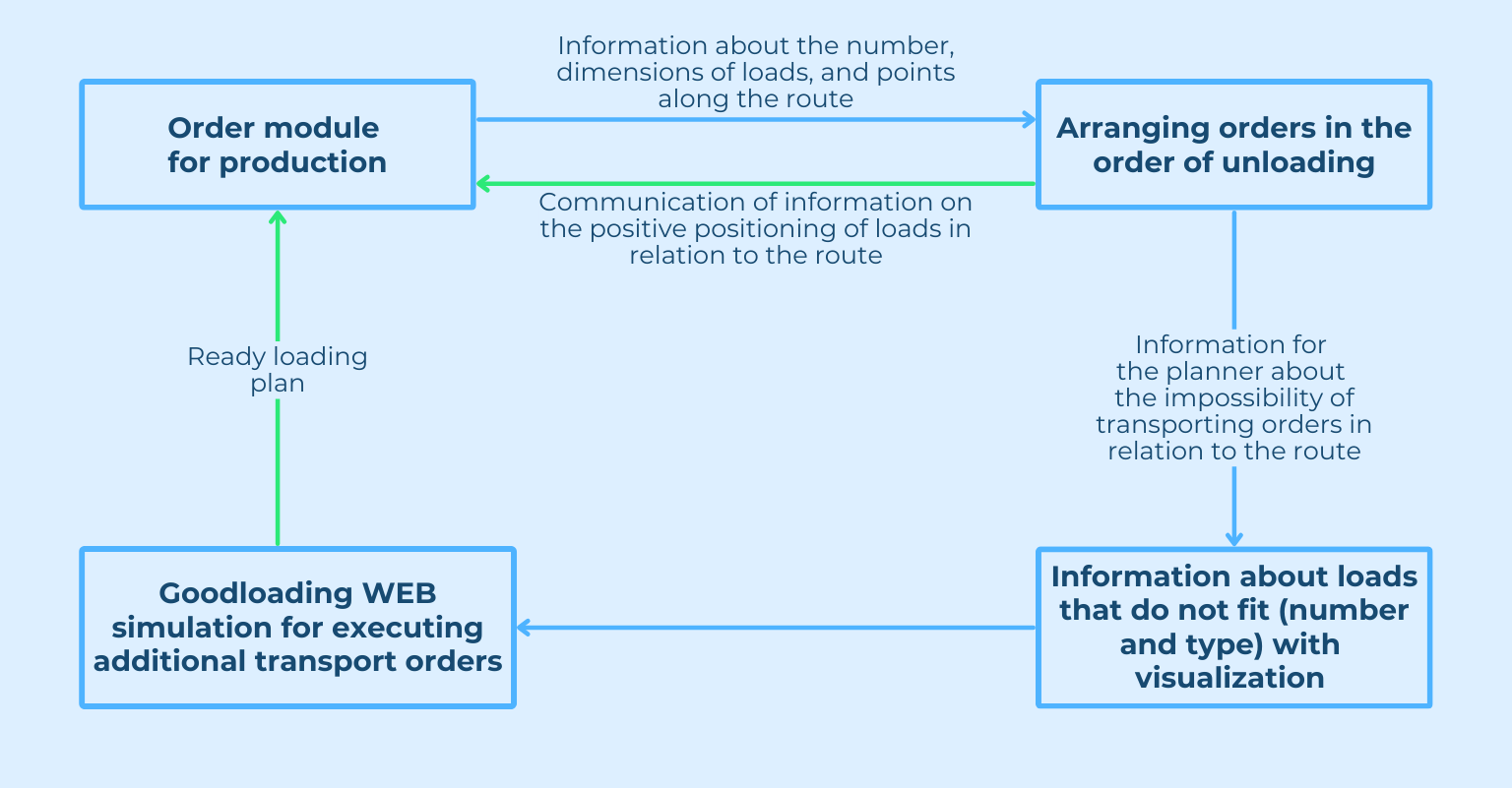
- The client sends information containing data about the semi-trailer, dimensions, number and weight of loads, as well as the unloading point sequence for designated pallets.
- Goodloading provides information on the loading method along with a visualization
- If some pallets do not fit, I receive information about which loads this applies to
- If a new order appears during the day, the user updates the data directly on the visualization and updates the project by transferring the data to their own system.