May 08, 2025
New Technologies
New features in Goodloading – company project sharing and more

We’ve recently introduced several new features in Goodloading. These include company-wide project sharing, a function that enables optimization for all loading spaces in a project, and the option to add a third axle in axle load settings. See what benefits the new features bring.
Company project sharing
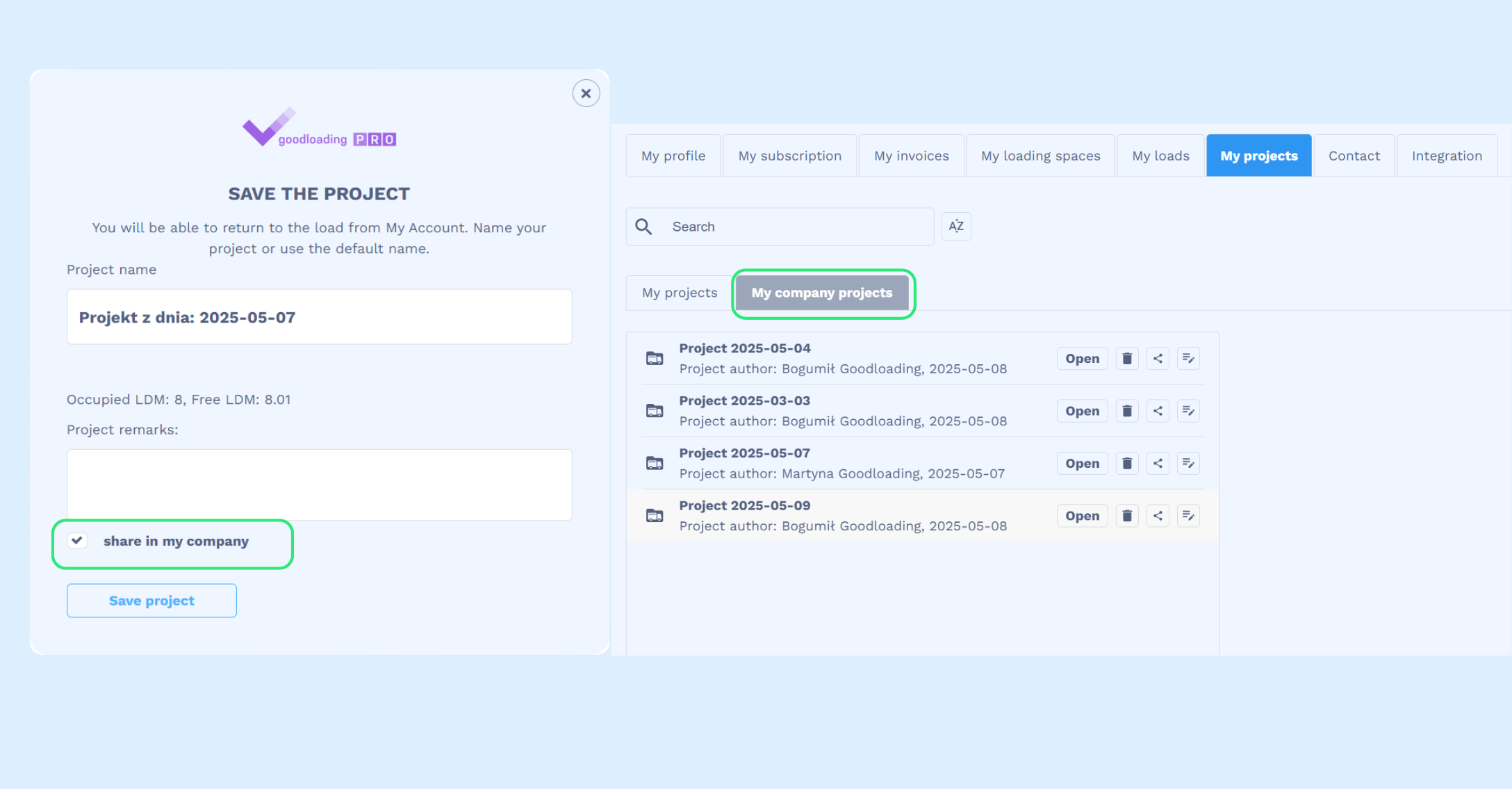
For companies with multiple users accessing Goodloading, collaboration on projects just got even easier. When saving a project, simply check the option “share within my company,” and it will become visible to all your coworkers. All shared projects can be found under the “My Projects” tab, where you can browse both your own projects and those created by your team.
Enabling optimization for all loading spaces
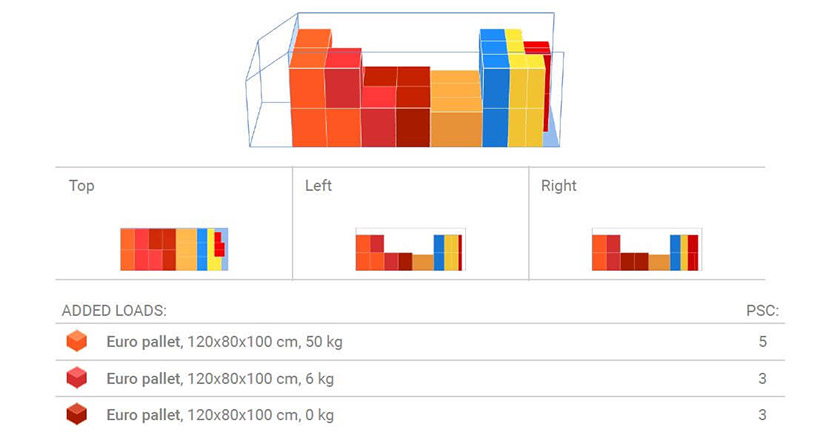
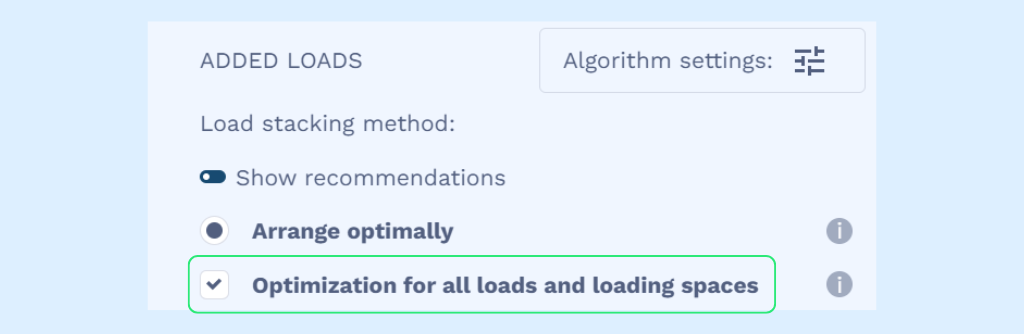
Until now, in projects with multiple loading spaces, the optimization algorithm was only available for the currently displayed space. That option is still available. By selecting the “optimize layout” algorithm, the user will activate it for the current space only. However, by also checking “optimization for all cargo and loading spaces,” the optimization algorithm will be applied across all loading spaces in the project.
Third axle in axle load settings
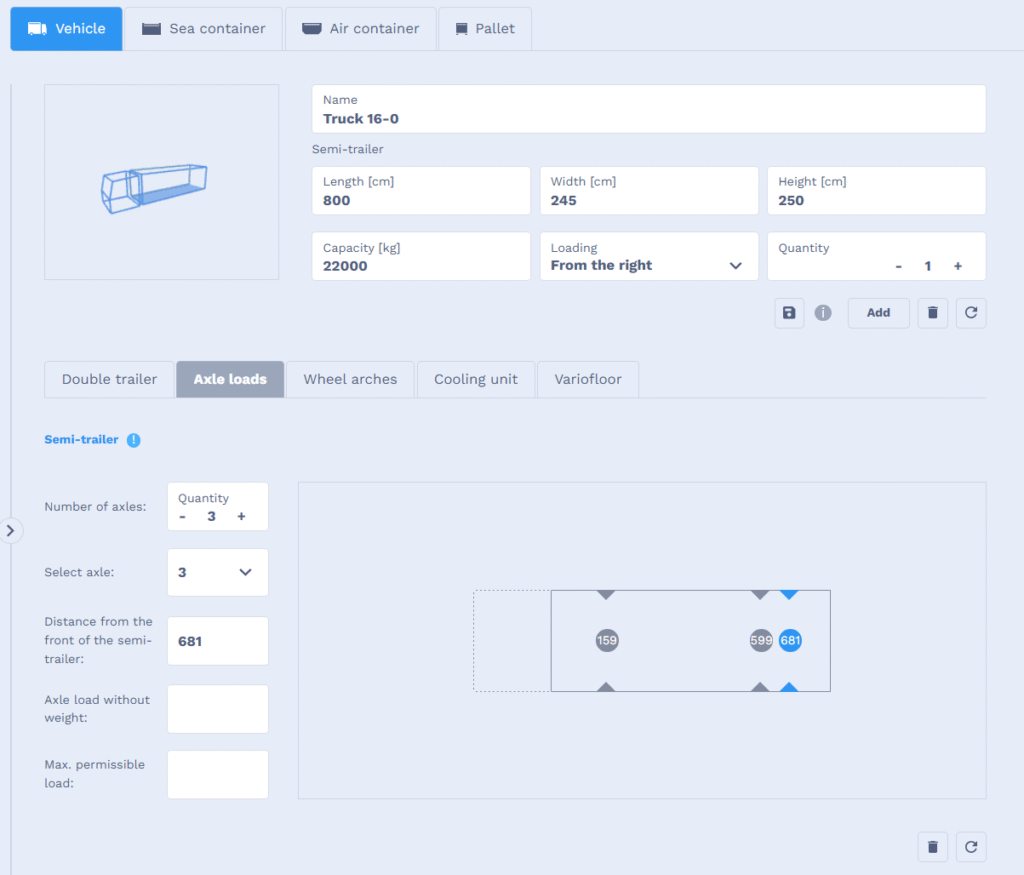
We’ve added the option to input a third axle when adding vehicles in Goodloading. We’re also working on another axle-related feature, which will be available soon. Users will be able to add a front axle under the driver’s cabin for curtain-sided trucks.


![Competition results ,,What benefits does Goodloading bring to you and the company you work for?” [update]](https://www.goodloading.com/wp-content/uploads/2023/11/wyniki-konkursu-2.png)